Build Automation
Software Process Engineering
Danilo Pianini — danilo.pianini@unibo.it
Compiled on: 2026-10-20 — printable version
Overview
- Build automation:
- The software lifecycle
- Automation styles
- Gradle as paradigmatic build automator
- Core concepts and basics
- Dependency management and configurations
- The build system as a dependency
- Hierarchical organization
- Isolation of imperativity
- Declarativity via DSLs
- Reuse via plug-ins
- Testing plug-ins
- Existing plugins
The build “life cycle”
(Not to be confused with the system development life cycle (SDLC))
The process of creating tested deployable software artifacts
from source code
May include, depending on the system specifics:
- Source code manipulation and generation
- Source code quality assurance
- Dependency management
- Compilation, linking
- Binary quality assurance
- Binary manipulation
- Test execution
- Test quality assurance (e.g., coverage)
- API documentation
- Packaging
- Delivery
- Deployment
Build automation
Automation of the build lifecycle
- In principle, the lifecycle could be executed manually
- In reality time is precious and repetition is boring
$\Rightarrow$ Create software that automates the building of some software!
- All those concerns that hold for software creation hold for build system creation…
Build automation: basics and styles
Imperative/Custom: write a script that tells the system what to do to get from code to artifacts
- Examples: make, cmake, Apache Ant
- Abstraction gap: verbose, repetitive
- Configuration (declarative) and actionable (imperative) logics mixed together
- Highly configurable and flexible
- Difficult to adapt and port across projects
Declarative/Standard: adhere to some convention, customizing some settings
- Examples: Apache Maven, Python Poetry
- Separation between what to do and how to do it
- The build system decides how to do it
- Easy to adapt and port across projects
- Configuration limited by the provided options
Hybrid automators
Create a declarative infrastructure on top of an imperative basis, and allow easy access to the underlying machinery
DSLs are helpful in this context: they can “hide” imperativity without ruling it out
Still, many challenges remain open:
- How to reuse the build logic?
- within a project, and among projects
- How to structure multiple logical and interdependent parts?
Dependencies in software
nos esse quasi nanos gigantum humeris insidentes Bernard of Chartres
All modern software depends on other software!
- the operating system
- the runtime environment (e.g., the Java Virtual Machine, the Python interpreter…)
- the base libraries
- third-party libraries
- external resources (icons, sounds, application data)
All the software we build and use depends on other software
- Which depends on other software
- Which depends on other software
- Which depends on other software
- Which depends on other software
- Which depends on other software
- Which depends on other software
- Which depends on other software
- …
- Which depends on other software
- Which depends on other software
- Which depends on other software
- Which depends on other software
- Which depends on other software
- Which depends on other software
$\Rightarrow$ Applications have a dependency tree!
Transitive dependencies
Indirect dependencies (dependencies of dependencies) are called transitive
In non-toy projects, transitive dependencies are the majority
- It’s very easy to end up with more than 50 dependencies
Complexity quickly gets out of hand!
We need a tool that can:
- Find (for example in known archives) the libraries we need
- Download them (if found)
- Include them into a discoverable path
To do this, however, we need to know some repositories and how to refer to and locate artifacts
- We need a name and a version for each library
- There is no standard, every ecosystem has its own conventions
- Some created with the programming language (e.g., Rust)
- Some evolved later with the ecosystem (Maven for Java, npm for JavaScript…)
Transitive dependency conflicts
When two libraries depend on different versions of the same library, we have a conflict
- e.g.: dependency
ArequiresBat version1, dependencyCrequiresBat version2 - How would you solve this conflict?
- Pick the latest and hope for the best?
- Pick the earliest and hope for the best?
Dependency ranges
To reduce the risk of conflicts, some systems allow specifying ranges of acceptable versions
- A range is a relaxed constraint on the version specification
Examples
- Maven (Java)
[1.2,2.0)means “from1.2(inclusive) to2.0(exclusive)”[1.2,1.3)means “from1.2(inclusive) to1.3(exclusive)”[1.2,1.3]means “from1.2(inclusive) to1.3(inclusive)”(,1.3]means “up to1.3(inclusive)”[1.2,)means “from1.2(inclusive) onwards”
- Gradle (Java, Kotlin, multiple languages)
- Same syntax as Maven, plus “rich versions”:
1.2+means “any1.2version”, i.e.,>=1.2.0 <1.3.0
- Same syntax as Maven, plus “rich versions”:
- npm / pnpm / yarn (JavaScript/TypeScript)
^1.2.3means “compatible with1.2.3”, i.e.,>=1.2.3 <2.0.0~1.2.3means “approximately1.2.3”, i.e.,>=1.2.3 <1.3.01.2.xmeans “any1.2version”, i.e.,>=1.2.0 <1.3.0
- Python (PEP 440)
>=1.2, <2.0means “from1.2(inclusive) to2.0(exclusive)”>=1.2, <1.3means “from1.2(inclusive) to1.3(exclusive)”>=1.2, <=1.3means “from1.2(inclusive) to1.3(inclusive)”<1.3means “up to1.3(exclusive)”>=1.2means “from1.2(inclusive) onwards”
Dependency ranges resolution
When multiple ranges are specified for the same dependency, the system must find a version that satisfies all constraints.
The resolver typically relies on a dependency graph:
- Input: roots (direct dependencies) with version ranges, and recursive dependencies with version ranges
- Build a graph: nodes are dependencies, edges are “depends on”
- Traverse the graph, starting from the roots (or the most constrained nodes), and reduce the ranges removing incompatible versions
- If a node ends up with an empty range, there is a conflict that cannot be resolved
- Otherwise, all nodes have non-empty ranges, pick a version for each node (typically the latest in the range)
Dependency locking
Introducing ranges leads to the explosion of the version combinations space.
- Testing all combinations is impossible!
- Different tests may resolve to different versions, leading to inconsistent results
Dependency locking is a technique to fix the versions of all dependencies (including transitive ones) to a known good set.
- The specified versions are typically ranges, in the main project manifest
- The locked versions are stored in a dedicated file
There is a trade-off between flexibility and reproducibility!
Exact pins trade low maintenance risk for high ongoing cost and poor ecosystem fit:
- Libraries become uncomposable. If two libs pin different exact transitives, resolvers can’t find a common graph
- Pins don’t freeze transitives anyway. Without a lock you still get drift downstream
| Ranges, no lock | Ranges + lock | Fixed versions (exact pins) | |
|---|---|---|---|
| Updates | Instant | Manual (regenerate lock file) | Manual (change version) |
| Reproducibility | Low | Maximum (transitive dependencies are locked) | High (transitive drift remains) |
| Reliability | Low (uncontrolled updates) | Medium (testing all ranges is impossible) | High (controlled updates, transitive drift) |
Dependency scopes
Dependencies may be needed in different contexts:
- Compile-time: needed to compile the code (e.g., libraries whose types are used in method signatures)
- Runtime: needed to run the code (e.g., libraries whose types are used in method bodies)
- Note: it is common for runtime dependencies to be a superset of compile-time dependencies (some dependencies are runtime-only, e.g., JDBC drivers)
- Note: even though most of the time runtime dependencies are also compile-time dependencies, this is not always the case (e.g., some components of ANTLR4…)
- Test: needed to compile and run tests (e.g., testing frameworks)
- Test runtime: needed to run tests (e.g., mocking frameworks)
- Note: similar to the runtime scope, test runtime dependencies are often a superset of test dependencies
- Build time: needed to build the code (e.g., code generators, linters, documentation tools)
- …
Scopes are typically pre-defined in declarative build systems and manually defined in imperative ones (there are exceptions to this rule).
Hybrid automators often provide pre-defined scopes and ways to define additional custom scopes.
Imperative build tool example: CMake
CMake is a widely used imperative build automation tool, especially in C and C++ projects.
- Imperative configuration: Build instructions are specified in
CMakeLists.txtusing CMake’s own scripting language. - Cross-platform: Generates native build files for various platforms (Makefiles, Visual Studio projects, etc.).
- Dependency management: Supports finding and linking against external libraries.
- Build targets: Allows defining multiple build targets (executables, libraries) within a single project.
- Custom commands: Supports custom build commands and scripts for specialized tasks.
CMake version and project name, declarative:
cmake_minimum_required(VERSION 3.0) # setting this is required
project(example_project)            # this sets the project name
File globbing: search of what to build is manual/imperative:
# These instructions search the directory tree when cmake is
# invoked and put all files that match the pattern in the variables
# `sources` and `data`.
file(GLOB_RECURSE sources      src/main/*.cpp src/main/*.h)
file(GLOB_RECURSE sources_test src/test/*.cpp)
file(GLOB_RECURSE data resources/*)
# You can use set(sources src/main.cpp) etc if you don't want to
# use globbing to find files automatically.
Target definitions, imperative:
# The data is just added to the executable, because in some IDEs (QtCreator)
# files are invisible when they are not explicitly part of the project.
add_executable(example ${sources} ${data})

# Just for example add some compiler flags.
target_compile_options(example PUBLIC -std=c++1y -Wall -Wfloat-conversion)

# This allows to include files relative to the root of the src directory with a <> pair
target_include_directories(example PUBLIC src/main)

# This copies all resource files in the build directory.
# We need this, because we want to work with paths relative to the executable.
file(COPY ${data} DESTINATION resources)
Dependency management, imperative:
# This defines the variables Boost_LIBRARIES that contains all library names
# that we need to link into the program.
find_package(Boost 1.36.0 COMPONENTS filesystem system REQUIRED)

target_link_libraries(example PUBLIC
  ${Boost_LIBRARIES}
  # here you can add any library dependencies
)
Testing with googletest, imperative:
find_package(GTest)
if(GTEST_FOUND)
  add_executable(unit_tests ${sources_test} ${sources})

  # This define is added to prevent collision with the main.
  # It might be better solved by not adding the source with the main to the
  # testing target.
  target_compile_definitions(unit_tests PUBLIC UNIT_TESTS)

  # This allows us to use the executable as a link library, and inherit all
  # linker options and library dependencies from it, by simply adding it as dependency.
  set_target_properties(example PROPERTIES ENABLE_EXPORTS on)

  target_link_libraries(unit_tests PUBLIC ${GTEST_BOTH_LIBRARIES} example)

  target_include_directories(unit_tests PUBLIC ${GTEST_INCLUDE_DIRS})
endif()
Packaging with CPack, mostly imperative with some declarative parts:
# All install commands get the same destination. this allows us to use paths
# relative to the executable.
install(TARGETS example DESTINATION example_destination)

# This is basically a repeat of the file copy instruction that copies the
# resources in the build directory, but here we tell cmake that we want it
# in the package.
install(DIRECTORY resources DESTINATION example_destination)

# Now comes everything we need, to create a package
# there are a lot more variables you can set, and some
# you need to set for some package types, but we want to
# be minimal here.
set(CPACK_PACKAGE_NAME "MyExample")
set(CPACK_PACKAGE_VERSION "1.0.0")

# We don't want to split our program up into several incomplete pieces.
set(CPACK_MONOLITHIC_INSTALL 1)

# This must be last
include(CPack)
Declarative build tool example: Python Poetry
Poetry is a modern, declarative build and dependency management tool for Python.
- Declarative configuration: All project metadata, dependencies, and build instructions are specified in
pyproject.toml.- Declarative build tools tend to favor markup files over scripts:
- XML (Maven)
- TOML (Poetry, Rust’s Cargo)
- JSON (Node.js’s npm)
- YAML (JetBrains’ Amper)
- Declarative build tools tend to favor markup files over scripts:
- Scripted tasks: Allows definition of custom scripts for automation.
- Dependency resolution: Handles dependency resolution and locking via
poetry.lock. - Virtual environments: Automatically manages isolated Python environments per project.
- Build and publish: Supports building and publishing packages to PyPI or other repositories.
Python’s conflicting standards
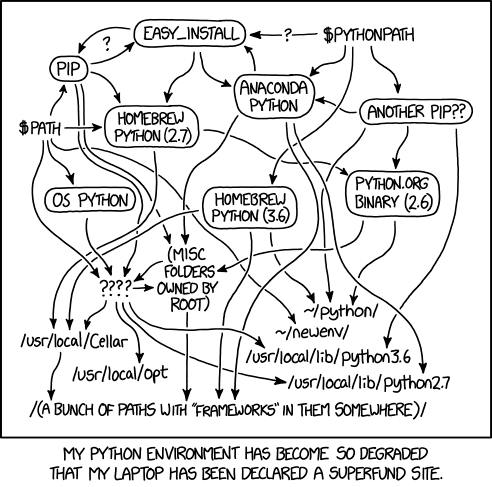
Since there were no standard management systems originally, multiple tools proliferated
-
The Python Packaging User Guide lists several tools, without picking a winner:
-
Many Python developers also rely on PyEnv
-
Many data scientists use Anaconda
The ecosystem is converging on shared standards, implemented by all modern tools:
Python ecosystem
-
By default, Python is installed system-wide
- i.e. there should be one (and only one) Python interpreter on the system
- Problem 1: two different projects cannot use different versions of Python!
-
All Python installations come with
pip, the package installer for Python- Python packages are supposed to be installed system-wide with
pip install PACKAGE_NAME - Problem 2: Two different projects cannot use different versions of the same package!
- Python packages are supposed to be installed system-wide with
-
PyEnvis a tool to manage multiple Python installations on the same system- tackles Problem 1
- Poetry checks that the right Python version is used, but does not manage Python installations
-
virtualenvandvenvcreate virtual Python installations on the same systemvirtualenvis a third-party tool,venvis built into Python 3.3 and later- tackles Problem 2
- Poetry automatically creates and manages virtual environments for each project
Poetry’s canonical project structure
root-directory/
├── main_package/
│   ├── __init__.py
│   ├── sub_module.py
│   └── sub_package/
│       ├── __init__.py
│       └── sub_sub_module.py
├── test/
│   ├── test_something.py
│   └── test_something_else.py
├── pyproject.toml # File where project configuration (metadata, dependencies, etc.) is stored
├── poetry.toml # File where Poetry configuration is stored
├── poetry.lock # File where Poetry locks the dependencies
└── README.md
If you already use Python, notice:
- no
requirements.txtnorrequirements-dev.txt pyproject.toml,poetry.toml, andpoetry.lockare Poetry-specificpoetry.lockis generated automatically by Poetry, and should not be edited manually
A Python calculator
(courtesy of Giovanni Ciatto)
[tool.poetry]

# publication metadata
name = "unibo-dtm-se-calculator"
packages = [ # files to be included for publication
    { include = "calculator" },
]
version = "0.1.1"
description = "A simple calculator toolkit written in Python, with several UIs."
authors = ["Giovanni Ciatto <giovanni.ciatto@unibo.it>"]
license = "Apache 2.0"
readme = "README.md"

# dependencies (notice that Python is considered a dependency)
[tool.poetry.dependencies]
python = "^3.10.0"
Kivy = "^2.3.0"

# development dependencies
[tool.poetry.group.dev.dependencies]
poetry = "^1.7.0"
pytest = "^8.1.0"
coverage = "^7.4.0"
mypy = "^1.9.0"

# executable commands that will be created when installing this package
[tool.poetry.scripts]
calculator-gui = "calculator.ui.gui:start_app"
calculator = "calculator.ui.cli:start_app"

# where to download the dependencies from
[[tool.poetry.source]]
name = "PyPI"
priority = "primary"

# packaging dependencies
[build-system]
requires = ["poetry-core"]
build-backend = "poetry.core.masonry.api"

# the project-specific environment will be created in the local .venv folder
[virtualenvs]
in-project = true
Pure TOML: completely declarative
Poetry: build lifecycle
Poetry is used via the poetry command line tool:
poetry install– resolves and installs dependenciespoetry run <command>– runs a command within the virtual environment
Actual behavior of poetry install
- Validate the project is correct and all necessary information is available
- Verify the version of Python is correct
- Resolve the dependencies, or use the ones in
poetry.lockif already available - Retrieve the dependencies from the specified sources
- Create a virtual environment if not already available
- Install the dependencies in the virtual environment
Subsequent lifecycle phases are managed by the poetry run command, and are thus custom.
❗ Except for install, Poetry does not provide a predefined lifecycle
A structured build lifecycle: Apache Maven
A build lifecycle typical of declarative automators, composed of phases.
⚠️ Selecting a phase implies executing all previous phases.
validate– validate the project is correct and all necessary information is availablecompile– compile the source code of the projecttest– test the compiled source code using a suitable unit testing framework. These tests should not require the code be packaged or deployedpackage– take the compiled code and package it in its distributable format, such as a JAR.verify– run any checks on results of integration tests to ensure quality criteria are metinstall– install the package into the local repository, for use as a dependency in other projects locallydeploy– done in the build environment, copies the final package to the remote repository for sharing with other developers and projects.
- Phases are made of plugin goals
- Execution requires the name of a phase or goal (dependent goals will get executed)
- Convention over configuration: sensible defaults
What if there is no plugin for something peculiar to the project?
A meta-build lifecycle: a lifecycle for build lifecycles
- Initialization: understand what is part of a build
- Configuration: create the necessary phases / goals and configure them
- Define the goals (or tasks)
- Configure the options
- Define dependencies among tasks
- Forming a directed acyclic graph
- Execution: run the tasks necessary to achieve the build goal
Rather than declaratively fit the build into a predefined lifecycle, declaratively define a build lifecycle
$\Rightarrow$ Typical of hybrid automators
Gradle
A paradigmatic example of a hybrid automator:
- Written mostly in Java
- with an outer Groovy layer and DSL
- …and, more recently, a Kotlin layer and DSL
- the Kotlin DSL is the default for new builds since Gradle 8.2
Our approach to Gradle
- We are not going to learn “how to use Gradle”
- We are going to explore how to drive Gradle from scratch
- Gradle is flexible enough to allow an exploration of its core concepts
- It will work as an exemplary case for most hybrid automators
- Other automation systems can be driven similarly once the basics are understood
Gradle: main concepts
- Project – A collection of files composing the software
- The root project can contain subprojects
- Build file – A special file, with the build information
- situated in the root directory of a project
- instructs Gradle on the organization of the project
- Dependency – A resource required by some operation.
- May have dependencies itself
- Dependencies of dependencies are called transitive dependencies
- Configuration – A group of dependencies with three roles:
- Declare dependencies
- Resolve dependency declarations to actual artifacts/resources
- Present the dependencies to consumers in a suitable format
- Task – An atomic operation on the project, which can
- have input and output files
- depend on other tasks (can be executed only if those are completed)
- Tasks bridge the declarative and imperative worlds
Gradle from scratch: empty project
Let’s start as empty as possible, just point your terminal to an empty folder and:
touch build.gradle.kts
gradle tasks
Stuff happens: if nothing is specified,
Gradle considers the folder where it is invoked as a project
The project name matches the folder name
Let’s understand what:
Welcome to Gradle <version>!

Here are the highlights of this release:
 - Blah blah blah

Starting a Gradle Daemon (subsequent builds will be faster)
Up to there, it’s just performance stuff: Gradle uses a background service to speed up cacheable operations
Gradle from scratch: empty project
> Task :tasks

------------------------------------------------------------
Tasks runnable from root project
------------------------------------------------------------

Build Setup tasks
-----------------
init - Initializes a new Gradle build.
updateDaemonJvm - Generates or updates the Gradle Daemon JVM criteria.
wrapper - Generates Gradle wrapper files.
Some tasks exist already! They are built-in. Let’s ignore them for now.
Gradle from scratch: empty project
Help tasks
----------
artifactTransforms - Displays the Artifact Transforms that can be executed in root project '00-empty'.
buildEnvironment - Displays all buildscript dependencies declared in root project '00-empty'.
dependencies - Displays all dependencies declared in root project '00-empty'.
dependencyInsight - Displays the insight into a specific dependency in root project '00-empty'.
help - Displays a help message.
javaToolchains - Displays the detected java toolchains.
kotlinDslAccessorsReport - Prints the Kotlin code for accessing the currently available project extensions.
outgoingVariants - Displays the outgoing variants of root project '00-empty'.
projects - Displays the sub-projects of root project '00-empty'.
properties - Displays the properties of root project '00-empty'.
resolvableConfigurations - Displays the configurations that can be resolved in root project '00-empty'.
tasks - Displays the tasks runnable from root project '00-empty'.
Informational tasks. Among them, the tasks task we just invoked
Gradle: configuration vs execution
It is time to create our first task
Create a build.gradle.kts file as follows:
tasks.register("brokenTask") { // creates a new task
    println("this is executed at CONFIGURATION time!")
}
Now launch Gradle with gradle broken:
gradle broken
this is executed at CONFIGURATION time!
> Task :brokenTask UP-TO-DATE

BUILD SUCCESSFUL in 378ms
Looks ok, but it’s utterly broken
Gradle: configuration vs execution
Try launching gradle tasks
- We do not expect our task to run, we are launching something else
❯ gradle tasks

> Task :tasks

------------------------------------------------------------
Tasks runnable from root project
------------------------------------------------------------

this is executed at CONFIGURATION time!
Build Setup tasks
Ouch!
Reason: the build script executes when Gradle is invoked, and configures tasks and dependencies.
Only later, when a task is invoked, the block gets actually executed
Gradle: configuration vs execution
Let’s write a correct task
tasks.register("helloWorld") {
    doLast { // This method takes as argument a Task.() -> Unit
        println("Hello, World!")
    }
}
Execution with gradle helloWorld
gradle helloWorld

> Task :helloWorld
Hello, World!
Gradle: configuration vs execution
- The build configuration happens first
- Tasks and their dependencies are a result of the configuration
- The task execution happens later
- As per the “meta-lifecycle” discussed before
Delaying the execution allows for more flexible configuration
This will be especially useful when modifying existing behavior
val helloWorld = tasks.register("helloWorld") {
    doLast { // This method takes as argument a Task.() -> Unit
        println("Hello, World!")
    }
}

helloWorld.configure { // Note the `configure` method: late configuration of the task
    doFirst {
        println("About to say hello...")
    }
}
output of gradle helloWorld:
Configuring task: helloWorld

> Task :helloWorld
About to say hello...
Hello, World!

BUILD SUCCESSFUL in 231ms
1 actionable task: 1 executed
Gradle: configuration avoidance
While task execution happens only for those tasks that are invoked (or their dependencies),
eagerly created tasks (tasks.create(...), or accessed via eager APIs) are configured in every build.
- This can lead to performance issues in large builds
In Gradle, tasks can be registered lazily (tasks.register(...)), and configured lazily as well,
using the configure, named, and configureEach methods:
the configuration block runs only if the task is actually needed.
val helloWorld = tasks.register("helloWorld") {
    doLast { // This method takes as argument a Task.() -> Unit
        println("Hello, World!")
    }
}

helloWorld.configure { // Note the `configure` method: late configuration of the task
    doFirst {
        println("About to say hello...")
    }
}

tasks.withType<Task>().configureEach {
    println("Configuring task: ${this.name}")
    doLast {
        println("Finished task: ${this.name}")
    }
    doFirst {
        println("Starting task: ${this.name}")
    }
}
gradle helloWorld output:
Configuring task: helloWorld

> Task :helloWorld
Starting task: helloWorld
About to say hello...
Hello, World!
Finished task: helloWorld

BUILD SUCCESSFUL in 395ms
1 actionable task: 1 executed
gradle tasks output:
Configuring task: tasks

> Task :tasks
Starting task: tasks
Configuring task: help        # Configuration happens only when a task is needed!
Configuring task: projects
... list of tasks ...
Configuring task: helloWorld

------------------------------------------------------------
Tasks runnable from root project 'configuration-avoidance'
------------------------------------------------------------
... list of tasks ...
BUILD SUCCESSFUL in 239ms
1 actionable task: 1 executed
Gradle: task types
Gradle offers some facilities to make writing new tasks easier
An example is the org.gradle.api.Exec task type, representing a command to be executed on the underlying command line
The task type can be specified at task registration time.
Any open class implementing org.gradle.api.Task can be instantiated.
Tasks of unspecified type are plain DefaultTasks
import org.gradle.internal.jvm.Jvm // Jvm is an *internal* Gradle class: handy for teaching, not a stable API
tasks.register<Exec>("printJavaVersion") { // Do you Recognize this? inline function with reified type!
    // Configuration action is of type T.() -> Unit, in this case Exec.T() -> Unit
    val javaExecutable = Jvm.current().javaExecutable.absolutePath
    commandLine( // this is a method of class org.gradle.api.Exec
        javaExecutable, "-version"
    )
    // There is no need of doLast / doFirst, actions are already configured
    // Still, we may want to do something before or after the task has been executed
    doLast { println("$javaExecutable invocation complete") }
    doFirst { println("Ready to invoke $javaExecutable") }
}
> Task :printJavaVersion
Ready to invoke /usr/lib/jvm/java-11-openjdk/bin/java
openjdk version "11.0.8" 2020-07-14
OpenJDK Runtime Environment (build 11.0.8+10)
OpenJDK 64-Bit Server VM (build 11.0.8+10, mixed mode)
/usr/lib/jvm/java-11-openjdk/bin/java invocation complete
Gradle: compiling from scratch
Let’s compile a simple src/HelloWorld.java:
class HelloWorld {
    public static void main(String... args) {
        System.out.println("Hello, World!");
    }
}
Build logic:
- Find the Java compiler executable
- Find the sources to be compiled
- Invoke
javac -d destination <files>
Which step should be in configuration, and which in execution?
General rule: move as much as possible to execution
- The less is done at configuration time, the faster the build when the task is not executed
- Delaying to execution allows for more flexible configuration
Lazy configuration, inputs, outputs
tasks.register<Exec>("compileJava") {
    // Computed at configuration time
    val sources = TODO("assume this is expensive")
    // configuration that needs "sources"
    doFirst { // We need to compute the sources and classpath as late as possible!
        sources.forEach { ... }
    }
}
- Problem: we need to run the expensive operation even if the task is not executed!
- We must delay the execution as much as possible
- Problem: other tasks may generate sources, and should thus run before
- We must understand that the output of some tasks is the input of other tasks
Task inputs and outputs
How can Gradle determine which tasks some task depends on?
- Explicit dependencies (later)
- Implicit dependencies, via inputs and outputs
- If a task input is the output of another task, then the first task depends on the second
Inputs and outputs can be configured via the inputs and outputs properties of a task.
Inputs and outputs are also used by Gradle to determine if a task is UP-TO-DATE,
namely, if it can be skipped because its inputs have not changed since the last execution.
- This is called incremental build.
- Large builds can be sped up significantly.
Lazy configuration in Gradle
Gradle supports the construction of lazy properties and providers:
- Wire together Gradle components without worrying about values, just knowing their provider.
- Configuration happens before execution, some values are unknown
- yet their provider is known at configuration time
In the Gradle API
Provider – a value that can only be queried and cannot be changed
- Transformable through a
mapmethod - Easily built via
project.provider { ... }(projectcan be omitted in build scripts)
Property – a value that can be queried and also changed
- Subtype of Provider
- Can be
setby passing a value or aProvider - A new property can be created via
project.objects.property<Type>()(projectcan be omitted in build scripts)
import org.gradle.internal.jvm.Jvm

tasks.register<Exec>("compileJava") { // This is a Kotlin lambda with receiver!
    val sourceDir = projectDir.resolve("src")
    inputs.dir(sourceDir)
    val outputDir = layout.buildDirectory.dir("bin").get().asFile.absolutePath
    outputs.dir(outputDir)
    val javacExecutable = Jvm.current().javacExecutable.absolutePath // Use the current JVM's javac
    executable(javacExecutable)
    doFirst { // We need to compute the sources and classpath as late as possible
        val sources = sourceDir.walkTopDown().filter { it.isFile && it.extension == "java" }.toList()
        println(sources)
        when {
            sources.isEmpty() -> {
                println("No source files found, skipping compilation.")
                args("-version")
            }
            else -> args(
                // destination folder: the output directory of Gradle, inside "bin"
                "-d", outputDir,
                *sources.toTypedArray(),
            )
        }
    }
}
Execution:
gradle compileJava

BUILD SUCCESSFUL in 693ms
Compiled files are in build/bin!
Gradle: dependency management
Dependency management in Gradle is rooted in two fundamental concepts:
- Dependency, a resource of some kind, possibly having other (transitive) dependencies
- Configuration, a resolvable (mappable to actual resources) set of dependencies
- $\Rightarrow$ Not to be confused with the configuration phase!
Let’s see a use case: compiling a Java source with a dependency
- In
javacterms, we need to feed some jars to the-cpflag of the compiler - In Gradle (automation) terms, we need:
- a configuration representing the compile classpath
- one dependency for each library we need to compile
Gradle: dependency management
Conceptually, we want something like:
// Gradle way to create a configuration
val compileClasspath = configurations.create("compileClasspath")
dependencies {
    compileClasspath.add(dir("libs").files.filter { it.extension == "jar" })
}
To be consumed by our improved compile task:
tasks.register<Exec>("compileJava") {
    ...
    else -> args(
        "-d", outputDir,
        // classpath from the configuration
        "-cp", "${File.pathSeparator}${compileClasspath.asPath}",
        *sources.toTypedArray(),
    )
}
Gradle: using custom configurations
A minimal DSL to simplify file access:
// Minimal file access DSL
object AllFiles
val Project.allFiles: AllFiles get() = AllFiles // We need this to prevent "Object AllFiles captures the script class instance" error
data class Finder(val path: File) {
    fun withExtension(extension: String): List<File> =
        path.walkTopDown().filter { it.isFile && it.extension == extension }.toList()
}
fun AllFiles.inFolder(path: String) = Finder(projectDir.resolve(path))
Dependency declaration (configuration time):
val compileClasspath: Configuration = configurations.create("compileClasspath") // Built-in API

dependencies { // built-in in Gradle
    AllFiles.inFolder("libs").withExtension("jar").forEach { // Not Gradle: defined below
        compileClasspath(files(it)) // The Configuration class overrides the invoke operator
    }
}
Dependency use (execution time):
    doFirst { // We need to compute the sources and classpath as late as possible
        val sources = AllFiles.inFolder("src").withExtension("java")
        println(sources)
        when {
            sources.isEmpty() -> {
                println("No source files found, skipping compilation.")
                args("-version")
            }
            else -> args(
                // destination folder: the output directory of Gradle, inside "bin"
                "-d", outputDir,
                // classpath from the configuration
                "-cp", "${File.pathSeparator}${compileClasspath.asPath}",
                *sources.toTypedArray(),
            )
        }
    }
Gradle: using custom configurations
Full example:
import org.gradle.internal.jvm.Jvm

val compileClasspath: Configuration = configurations.create("compileClasspath") // Built-in API

dependencies { // built-in in Gradle
    AllFiles.inFolder("libs").withExtension("jar").forEach { // Not Gradle: defined below
        compileClasspath(files(it)) // The Configuration class overrides the invoke operator
    }
}

tasks.register<Exec>("compileJava") { // This is a Kotlin lambda with receiver!
    inputs.dir(projectDir.resolve("src"))
    val outputDir = layout.buildDirectory.dir("bin").get().asFile.absolutePath
    outputs.dir(outputDir)
    val javacExecutable = Jvm.current().javacExecutable.absolutePath // Use the current JVM's javac
    executable(javacExecutable)
    doFirst { // We need to compute the sources and classpath as late as possible
        val sources = AllFiles.inFolder("src").withExtension("java")
        println(sources)
        when {
            sources.isEmpty() -> {
                println("No source files found, skipping compilation.")
                args("-version")
            }
            else -> args(
                // destination folder: the output directory of Gradle, inside "bin"
                "-d", outputDir,
                // classpath from the configuration
                "-cp", "${File.pathSeparator}${compileClasspath.asPath}",
                *sources.toTypedArray(),
            )
        }
    }
}

// Minimal file access DSL
object AllFiles
val Project.allFiles: AllFiles get() = AllFiles // We need this to prevent "Object AllFiles captures the script class instance" error
data class Finder(val path: File) {
    fun withExtension(extension: String): List<File> =
        path.walkTopDown().filter { it.isFile && it.extension == extension }.toList()
}
fun AllFiles.inFolder(path: String) = Finder(projectDir.resolve(path))
Gradle: task dependencies
Next step: we can compile, so why not run the program as well?
- Let’s define a
runtimeClasspathconfiguration- “inherits” from
compileClasspath - includes the output folder
- In general we may need stuff at runtime that we don’t need at compile time
- E.g. stuff loaded via reflection
- “inherits” from
val compileClasspath: Configuration = configurations.create("compileClasspath")
val runtimeClasspath: Configuration = configurations.create("runtimeClasspath") {
    extendsFrom(compileClasspath)
}

dependencies { // built-in in Gradle
    AllFiles.inFolder("libs").withExtension("jar").forEach { // Not Gradle: defined below
        compileClasspath(files(it)) // The Configuration class overrides the invoke operator
    }
}
- Let’s write the task
tasks.register<Exec>("runJava") {
    inputs.dir(compilationDestination)
    dependsOn(compileJava) // IMPORTANT! This is a task dependency, we must compile before running
    executable(Jvm.current().javaExecutable.absolutePath)
    doFirst {
        args(
            "-cp", "${compilationDestination}${File.pathSeparator}${runtimeClasspath.asPath}",
            "HelloMath",
        )
    }
}
import org.gradle.internal.jvm.Jvm

val compileClasspath: Configuration = configurations.create("compileClasspath")
val runtimeClasspath: Configuration = configurations.create("runtimeClasspath") {
    extendsFrom(compileClasspath)
}

dependencies { // built-in in Gradle
    AllFiles.inFolder("libs").withExtension("jar").forEach { // Not Gradle: defined below
        compileClasspath(files(it)) // The Configuration class overrides the invoke operator
    }
}

val compilationDestination: String = layout.buildDirectory.dir("bin").get().asFile.absolutePath
val compileJava = tasks.register<Exec>("compileJava") { // This is a Kotlin lambda with receiver!
    inputs.dir(projectDir.resolve("src"))
    outputs.dir(compilationDestination)
    val javacExecutable = Jvm.current().javacExecutable.absolutePath // Use the current JVM's javac
    executable(javacExecutable)
    doFirst { // We need to compute the sources and classpath as late as possible
        val sources = AllFiles.inFolder("src").withExtension("java")
        println(sources)
        when {
            sources.isEmpty() -> {
                println("No source files found, skipping compilation.")
                args("-version")
            }
            else -> args(
                // destination folder: the output directory of Gradle, inside "bin"
                "-d", compilationDestination,
                // classpath from the configuration
                "-cp", "${File.pathSeparator}${compileClasspath.asPath}",
                *sources.toTypedArray(),
            )
        }
    }
}

tasks.register<Exec>("runJava") {
    inputs.dir(compilationDestination)
    dependsOn(compileJava) // IMPORTANT! This is a task dependency, we must compile before running
    executable(Jvm.current().javaExecutable.absolutePath)
    doFirst {
        args(
            "-cp", "${compilationDestination}${File.pathSeparator}${runtimeClasspath.asPath}",
            "HelloMath",
        )
    }
}
// Minimal file access DSL
object AllFiles
val Project.allFiles: AllFiles get() = AllFiles // We need this to prevent "Object AllFiles captures the script class instance" error
data class Finder(val path: File) {
    fun withExtension(extension: String): List<File> =
        path.walkTopDown().filter { it.isFile && it.extension == extension }.toList()
}
fun AllFiles.inFolder(path: String) = Finder(projectDir.resolve(path))
Gradle: task dependencies
Let us temporarily comment:
dependsOn(compileJava) // IMPORTANT! This is a task dependency, we must compile before running
and run:
> Task :runJava FAILED

[Incubating] Problems report is available at: file:///home/danysk/LocalProjects/spe-slides/examples/run-java-deps/build/reports/problems/problems-report.html

FAILURE: Build failed with an exception.

* What went wrong:
A problem was found with the configuration of task ':runJava' (type 'Exec').
Input file does not exist
  Type 'org.gradle.api.tasks.Exec' property '$1' specifies directory '/home/danysk/LocalProjects/spe-slides/examples/run-java-deps/build/bin' which doesn't exist
    An input file was expected to be present but it doesn't exist
    For more information, please refer to https://docs.gradle.org/9.8.0/userguide/validation_problems.html#input_file_does_not_exist in the Gradle documentation.
    Possible solutions:
      1. Make sure the directory exists before the task is called.
      2. Make sure that the task which produces the directory is declared as an input. # <<<< OUR PROBLEM!!

* Try:
> Run with --scan to get full insights from a Build Scan (powered by Develocity).

BUILD FAILED in 436ms
1 actionable task: 1 executed
$\Rightarrow$ The code was not compiled!
- We need
runJavato run aftercompileJava - One task depends on another!
Gradle: task dependencies
gradle runJava with the dependency correctly set:
> Task :compileJava
[/home/danysk/LocalProjects/spe-slides/examples/run-java-deps/src/HelloMath.java]

> Task :runJava
avg=3.0, std.dev=1.5811388300841898
regression: y = 2.0300000000000002 * x + -0.030000000000001137
R²=0.998957626296907

BUILD SUCCESSFUL in 581ms
2 actionable tasks: 2 executed
Build automation: dependencies everywhere
Dependencies permeate the world of build automation.
- At the “task” level
- Compile dependencies
- Runtime dependencies
- At the “build” level
- Phases of the lifecycle (configurations in Gradle) depend on other phases
- Tasks depend on other tasks
$\Rightarrow$ at the global level as well!
no guarantee that automation written with some tool at version X, will work at version Y!
The Gradle wrapper
- A global dependency on the build tool is hard to capture
- Often, it becomes a prerequisite expressed in natural language
- e.g., “you need Maven 3.6.1 to build this software”
- Critical issues when different pieces of the same system depend on different build tool versions
Gradle proposes a (partial) solution with the so-called Gradle wrapper
- A minimal program that simply downloads the version of Gradle written in a configuration file
- Generable with the built-in task
wrappergradle wrapper --gradle-version=<VERSION>
- Prepares scripts for bash and cmd to run Gradle at the specified version
gradlewgradlew.bat
- The downloaded distribution can (should!) be verified against a checksum
gradle wrapper --gradle-version=<VERSION> --gradle-distribution-sha256-sum=<SHA256>- the wrapper
jaritself should be validated in CI (e.g., withgradle/actions/wrapper-validation)
The Gradle wrapper is the correct way to use Gradle, and we’ll be using it from now on.
Mixed imperativity and declarativity
At the moment, we have part of the project that’s declarative, and part that’s imperative:
- Declarative
- configurations and their relationships
- dependencies
- task dependencies
- Imperative
- Operations on the file system
- some of the actual task logic
- resolution of configurations
The declarative part is the one for which we had a built-in API!
Unavoidability of imperativity
(and its isolation)
The base mechanism at work here is hiding imperativity under a clean, declarative API.
Even “purely declarative” build systems, such as Maven, which are driven with markup files, hide their imperativity behind a curtain (in the case of Maven, plugins that are configured in the pom.xml, but implemented elsewhere).
Usability, understandability, and, ultimately, maintainability, get increased when:
- Imperativity gets hidden under the hood
- Most (if not all) the operations can be configured rather than written
- Configuration can be minimal for common tasks
- Convention over configuration, we’ll get back to this
- Users can resort to imperativity in case of need
Isolation of imperativity
Task type definition
Let’s begin our operation of isolation of imperativity by refactoring our hierarchy of operations.
- We have a number of “Java-related” tasks.
- All of them have a classpath
- All of them have an executable that depends on the operation they perform
- One has an output directory and input sources
- One has a “main class” input
interface TaskWithClasspath : Task {
    val classpath: Property<FileCollection>
}

interface JavaCompileTask : TaskWithClasspath {
    val sources: Property<FileCollection>
    val destinationDir: DirectoryProperty
}

interface JavaRunTask : TaskWithClasspath {
    val mainClass: Property<String>
}
Isolation of imperativity
Task design
Next step: let’s inherit the behavior of our tasks from Exec:
Creating a new Task type in Gradle
Gradle supports the definition of new task types:
- New tasks must implement the
Taskinterface- They usually inherit from
DefaultTask
- They usually inherit from
- They must be
abstract- Gradle creates subclasses on the fly under the hood and injects methods
- A public method can be marked as
@TaskAction, and will get invoked to execute the task
Input, output, caching, and continuous build mode
In recent Gradle versions, it is mandatory to annotate every public property’s getter of a task with a marker annotation for gradle to mark it as an input or an output.
@Input,@InputFile,@InputFiles,@InputDirectory,@Classpath,@Nested(and@Optional)@OutputFile,@OutputFiles,@OutputDirectory,@OutputDirectories@Internalmarks properties that are neither inputs nor outputs (they do not affect up-to-date checks)@Consoleand@LocalStateare further specialized markers
- File inputs can be refined with
@PathSensitive, tasks whose outputs can be reused across builds with@CacheableTask - In practice, these appear in Kotlin code as
@get:Input, etc.- Otherwise, Kotlin would generate the annotation on the field, not on the getter, and Gradle would ignore it
Why?
- Performance
- Gradle caches intermediate build results, using input and output markers to understand whether or not some task is up to date
- This allows for much faster builds while working on large projects
- Time to build completion can drop from a dozen minutes to seconds!
- Continuous build
- Re-run tasks upon changes with the
-toption - (In/Out)put markers are used to understand what to re-run
- Re-run tasks upon changes with the
Custom Task types in Gradle
abstract class AbstractJvmExec : TaskWithClasspath, Exec() {
    @get:Classpath
    override val classpath: Property<FileCollection> = project.objects.property()

    init {
        executable(Jvm.current().jvmExecutableForTask().absolutePath)
    }

    // Extension function with virtual dispatch receiver!
    protected abstract fun Jvm.jvmExecutableForTask(): File
}

abstract class JavaRun() : JavaRunTask, AbstractJvmExec() {
    @get:Input
    override val mainClass: Property<String> = project.objects.property()

    override fun Jvm.jvmExecutableForTask(): File = javaExecutable

    @TaskAction
    override fun exec() {
        args(
            "-cp", classpath.get().asPath,
            mainClass.get(),
        )
        super.exec()
    }
}
abstract class JavaCompile: JavaCompileTask, AbstractJvmExec() {

    @get:InputFiles
    override val sources: Property<FileCollection> = project.objects.property()
    @get:OutputDirectory
    override val destinationDir: DirectoryProperty = project.objects.directoryProperty()

    override fun Jvm.jvmExecutableForTask(): File = javacExecutable

    @TaskAction
    override fun exec() {
        when {
            sources.get().isEmpty -> {
                println("No source files found, skipping compilation.")
                args("-version")
            }
            else -> args(
                // destination folder: the output directory of Gradle, inside "bin"
                "-d", destinationDir.get().asFile.absolutePath,
                // classpath from the configuration
                "-cp", "${File.pathSeparator}${classpath.get().asPath}",
                *sources.get().files.toTypedArray(),
            )
        }
        super.exec()
    }
}
Isolation of imperativity
Problem
In our main build.gradle.kts, we have:
a declarative part
// DECLARATIVE (what)

val compilationDestination = layout.buildDirectory.dir("bin").get().asFile
val compileClasspath: Configuration = configurations.create("compileClasspath")
val runtimeClasspath: Configuration = configurations.create("runtimeClasspath") {
    extendsFrom(compileClasspath)
}

dependencies { // built-in in Gradle
    allFiles.inFolder("libs").withExtension("jar").forEach { // Not Gradle: defined below
        compileClasspath(files(it)) // The Configuration class overrides the invoke operator
    }
    runtimeClasspath(files(compilationDestination))
}

tasks.register<JavaCompile>("compileJava") {
    classpath = compileClasspath
    destinationDir = compilationDestination
    sources = files(project.allFiles.inFolder("src").withExtension("java"))
}

tasks.register<JavaRun>("runJava") {
    classpath = runtimeClasspath
    mainClass = "HelloMath"
    dependsOn(tasks.named("compileJava"))
}
an imperative part
// IMPERATIVE (how)

// Minimal file access DSL
object AllFiles
val Project.allFiles: AllFiles get() = AllFiles // We need this to prevent "Object AllFiles captures the script class instance" error
data class Finder(val path: File) {
    fun withExtension(extension: String): List<File> =
        path.walkTopDown().filter { it.isFile && it.extension == extension }.toList()
}
fun AllFiles.inFolder(path: String) = Finder(projectDir.resolve(path))

interface TaskWithClasspath : Task {
    val classpath: Property<FileCollection>
}

interface JavaCompileTask : TaskWithClasspath {
    val sources: Property<FileCollection>
    val destinationDir: DirectoryProperty
}

interface JavaRunTask : TaskWithClasspath {
    val mainClass: Property<String>
}

abstract class AbstractJvmExec : TaskWithClasspath, Exec() {
(continues a lot further)
Idea
Hide the imperative part under the hood, and expose a purely declarative API to the user.
Isolation of imperativity
Project-wise API extension
Gradle provides a way to define project-wise build APIs using a special buildSrc folder
- Requires a Gradle configuration file
- What it actually does will be clearer in the future
Directory structure:
project-folder
├── build.gradle.kts
├── buildSrc
│   ├── build.gradle.kts
│   └── src
│       └── main
│           └── kotlin
│               ├── ImperativeAPI.kt
│               └── MoreImperativeAPIs.kt
└── settings.gradle.kts
buildSrc/build.gradle.kts’ contents (clearer in the future):
plugins {
    `kotlin-dsl`
}

repositories {
    mavenCentral()
}
Isolation of imperativity
Project-wise API extension
Directory structure for our Java infrastructure:
examples/buildsrc
├── build.gradle.kts
├── buildSrc
│   ├── build.gradle.kts
│   └── src
│       └── main
│           └── kotlin
│               ├── AllFiles.kt
│               ├── JavaCompile.kt
│               ├── JavaRun.kt
│               └── JavaTasksAPI.kt
├── gradlew
├── gradlew.bat
├── libs
│   └── commons-math3-3.6.1.jar
└── src
    └── HelloMath.java
our new build.gradle.kts:
val compilationDestination = project.layout.buildDirectory.dir("bin").get().asFile
val compileClasspath: Configuration by configurations.creating
val runtimeClasspath: Configuration by configurations.creating {
    extendsFrom(compileClasspath)
}

dependencies {
    allFilesIn("libs").withExtension("jar").forEach {
        compileClasspath(files(it))
    }
    runtimeClasspath(files(compilationDestination))
}

tasks.register<JavaCompile>("compileJava") {
    classpath = compileClasspath
    destinationDir = compilationDestination
    sources = files(allFilesIn("src").withExtension("java"))
}

tasks.register<JavaRun>("runJava") {
    classpath = runtimeClasspath
    dependsOn(tasks.named("compileJava"))
}
we can use all types defined in buildSrc/src/main/kotlin/ in the main project’s build.gradle.kts!
Alternative: a regular Gradle build (conventionally named build-logic) included via includeBuild("build-logic")
in the pluginManagement block of settings.gradle.kts: same idea, but it behaves like any other build
(and changes to it do not invalidate the whole project)
Isolation of imperativity
Project-wise conventions
What our build.gradle.kts defines is now a convention for Java projects:
val compilationDestination = project.layout.buildDirectory.dir("bin").get().asFile
val compileClasspath: Configuration by configurations.creating
val runtimeClasspath: Configuration by configurations.creating {
    extendsFrom(compileClasspath)
}

dependencies {
    allFilesIn("libs").withExtension("jar").forEach {
        compileClasspath(files(it))
    }
    runtimeClasspath(files(compilationDestination))
}

tasks.register<JavaCompile>("compileJava") {
    classpath = compileClasspath
    destinationDir = compilationDestination
    sources = files(allFilesIn("src").withExtension("java"))
}

tasks.register<JavaRun>("runJava") {
    classpath = runtimeClasspath
    dependsOn(tasks.named("compileJava"))
}
- There exist two configurations:
compileClasspathruntimeClasspath, which extends fromcompileClasspath
- All jars in
libsare added to both configurations - There is a
compileJavatask that compiles all Java sources insrc - There is a
runJavatask that runs a specified main class
These could be valid for any Java project!
Isolation of imperativity
Project-wise conventions
- Conventional build logic can be defined in
buildSrc/src/main/kotlin/convention-name.gradle.kts, - and imported in the main
build.gradle.ktsvia:
plugins {
    id("convention-name")
}
buildSrc/src/main/kotlin/java-convention.gradle.kts:
val compilationDestination = project.layout.buildDirectory.dir("bin").get().asFile
val compileClasspath: Configuration by configurations.creating
val runtimeClasspath: Configuration by configurations.creating {
    extendsFrom(compileClasspath)
}

dependencies {
    allFilesIn("libs").withExtension("jar").forEach {
        compileClasspath(files(it))
    }
    runtimeClasspath(files(compilationDestination))
}

tasks.register<JavaCompile>("compileJava") {
    classpath = compileClasspath
    destinationDir = compilationDestination
    sources = files(allFilesIn("src").withExtension("java"))
}

tasks.register<JavaRun>("runJava") {
    classpath = runtimeClasspath
    dependsOn(tasks.named("compileJava"))
}
build.gradle.kts:
plugins {
    id("java-convention")
}

tasks.runJava.configure { // We must set the main class here
    mainClass = "HelloMath"
}
Build hierarchies
Sometimes projects are modular
Where a module is a sub-project with a clear identity, possibly reusable elsewhere
Examples:
- A smartphone application with:
- A common library
- A software that uses such library for the actual app
- Bluetooth control software comprising:
- Platform-specific drivers
- A platform-agnostic bluetooth API and service
- A CLI interface to the library
- A Graphical interface
Modular software simplifies maintenance and improves understandability
Modules may depend on other modules
Some build tasks of some module may require build tasks of other modules to be complete before execution
Hierarchical project
Let us split our project into two components:
- A base library
- A stand-alone application using the library
We need to reorganize the build logic to something similar to
hierarchical-project
|__:library
\__:app
Desiderata:
- We can compile any of the two projects from the root
- We can run the app from the root
- Calling a run of the app implies a compilation of the library
- We can clean both projects
Authoring subprojects in Gradle
Gradle (as many other build automators)
offers built-in support for hierarchical projects.
Gradle supports arbitrarily deep nesting, e.g. include(":a:b:c")
Subprojects are listed in a settings.gradle.kts file
Incidentally, it’s the same place where the project name can be specified
Subprojects must have their own build.gradle.kts
They can also have their own settings.gradle.kts, e.g. for selecting a name different from their folder
Authoring subprojects in Gradle
- Create a settings.gradle.kts and declare your modules:
rootProject.name = "project-with-hierarchy"

include(":library") // There must be a folder named "library"
include(":app") // There must be a folder named "app"
- Put the logic shared among subprojects into convention plugins (in
buildSrcorbuild-logic)
// buildSrc/src/main/kotlin/java-convention.gradle.kts, as seen before
- In each subproject’s
build.gradle.kts, apply the conventions and add further customization as necessary
plugins {
    id("java-convention")
}
- Connect configurations to each other using dependencies
dependencies {
    compileClasspath(project(":library")) { // My compileClasspath configuration depends on project library
        targetConfiguration = "runtimeClasspath" // Specifically, from its runtime
    }
}
- Make sure that the artifacts carry the tasks that build them, so that task dependencies are inferred
- Tasks may fail if run out of order! Compiling
apprequireslibraryto be compiled.
- Tasks may fail if run out of order! Compiling
dependencies { // in the convention plugin
    runtimeClasspath(files(compilationDestination).builtBy("compileJava")) // consumers will depend on compileJava
}
Cross-project configuration: don’t
Older Gradle builds (and many tutorials) configure subprojects from the outside:
allprojects { /* executed for every project, including the root one */ }
subprojects { /* executed for all subprojects */ }
tasks.compileJava { dependsOn(project(":library").tasks.compileJava) } // reaching into another project
This style is discouraged:
- it couples projects: the configuration of a project depends on code in some other project
- it prevents configuring projects in parallel and caching their configuration independently
- it is incompatible with Isolated Projects, the upcoming Gradle execution mode (incubating since Gradle 9.7)
$\Rightarrow$ Convention plugins applied by each project, and dependencies between configurations, instead
Reusability across multiple projects
We now have a rudimentary infrastructure for building and running Java projects
What if we want to reuse it?
Of course, copy/pasting the same file across projects is to be avoided whenever possible
The concept of plugin
Gradle (like many other build systems) allows extensibility via plugins
A plugin is a software component that extends the API of the base system
It usually includes:
- A set of
Tasks - An
Extension– An object encapsulating the global configuration options- leveraging an appropriate DSL
- A
Pluginobject, implementing anapply(Project)function- Application must create the extension, the tasks, and the rest of the imperative stuff
- A manifest file declaring which of the classes implementing
Pluginis the entry point of the declared plugin- located in
META-INF/gradle-plugins/<plugin-name>.properties - typically generated by the
java-gradle-pluginplugin
- located in
Divide, conquer, encapsulate, adorn
General approach to a new build automation problem:
Divide: Identify the base steps, they could become your tasks
- Or any concept your build system exposes to model atomic operations
Conquer: Clearly express the dependencies among them
- Build a pipeline
- Implement them, providing a clean API
Encapsulate: confine imperative logic, make it an implementation detail
Adorn: provide a DSL that makes the library easy and intuitive
Not very different from what’s usually done in (good) software development
Using a plugin
- Plugins are loaded from the build environment
- the classpath used for such tasks can be explored with the built-in task
buildEnvironment - if a plugin is not found, then if a version for it is available it’s fetched from remote repositories
- by default the Gradle plugin portal
- the classpath used for such tasks can be explored with the built-in task
- Plugins need to be applied
- Which actually translates to calling the
apply(Project)function - Application for hierarchical projects is not automatic
- You might want your plugin to be applied only in some subprojects!
- Which actually translates to calling the
Example code
plugins {
    pluginName // Loads a plugin from the "buildEnvironment" classpath
    `plugin-name` // Syntax for non Kotlin-compliant plugin names
    id("plugin2-name") // Alternative to the former
    id("some-custom-plugin") version "1.2.3" // if not found locally, gets fetched from the Gradle plugin portal
}
In hierarchical projects, a plugin can be resolved once in the root, and applied only where needed:
// root build.gradle.kts
plugins {
    id("some-custom-plugin") version "1.2.3" apply false // loaded, but not applied
}
// subproject/build.gradle.kts
plugins {
    id("some-custom-plugin") // applied here, version inherited from the root
}
Built-in Gradle plugins
The default Gradle distribution includes a large number of plugins, e.g.:
javaplugin, for Java written applications- a full-fledged version of the custom local plugin we created!
java-libraryplugin, for Java libraries (with no main class)scalaplugingroovyplugincpp-applicationandcpp-libraryplugins, for C++java-gradle-plugin, for writing Gradle pluginskotlin-dsl, for writing Gradle plugins and conventions in Kotlin
Many more are third party, e.g., the Kotlin plugins (org.jetbrains.kotlin.jvm, org.jetbrains.kotlin.multiplatform, …)
are developed by JetBrains and fetched from the Gradle plugin portal.
We are going to use the Kotlin JVM plugin to build our first standalone plugin!
(yes, we already wrote our first one: code in buildSrc is project-local plugin code)
A Greeting plugin
A very simple plugin that greets the user
Desiderata
- adds a
greettask that prints a greeting - the default output should be configurable with something like:
plugins {
    id("org.danilopianini.template-for-gradle-plugins")
}
hello {
    author.set("Danilo Pianini")
}
Setting up a Kotlin build
First step: we need to set up a Kotlin build, we’ll write our plugin in Kotlin
plugins {
    // No magic: calls a method running behind the scenes, equivalent to id("org.jetbrains.kotlin.jvm")
    kotlin("jvm") version "2.4.10" // version is necessary: it is not a built-in plugin
}
The Kotlin plugin introduces tasks and configurations to compile and package Kotlin code
Second step: we need to declare where to find dependencies
- Maven repositories are a de-facto standard for shipping JVM libraries
// Configuration of software sources
repositories {
    mavenCentral() // points to Maven Central
}

dependencies {
     // "implementation" is a configuration created by the Kotlin JVM plugin
    implementation(...) // we can load libraries here
}
Third step, we need the Gradle API
dependencies {
    implementation(gradleApi()) // Built-in method, returns a `Dependency` to the current Gradle version
    implementation(gradleKotlinDsl()) // Built-in method, returns a `Dependency` to the Gradle Kotlin DSL library
}
(the java-gradle-plugin plugin adds gradleApi() automatically)
Plugin name and entry point
Gradle expects the plugin entry point (the class implementing the Plugin interface) to be specified in a manifest file
- in a property file
- located in
META-INF/gradle-plugins - whose file name is
<plugin-name>.properties
The name is usually a “reverse url”, similarly to Java packages.
e.g., it.unibo.spe.greetings
The file content is just a pointer to the class implementing Plugin, for instance:
implementation-class=it.unibo.spe.firstplugin.GreetingPlugin
In practice, the java-gradle-plugin plugin generates the manifest from a declarative configuration:
gradlePlugin {
    plugins {
        create("greetings") {
            id = "it.unibo.spe.greetings"
            implementationClass = "it.unibo.spe.firstplugin.GreetingPlugin"
        }
    }
}
Plugin implementation
Usually, composed of:
- A clean API, if the controlled system is not trivial
- A set of tasks encapsulating the imperative logic
- An extension containing the DSL for configuring the plugin
- A plugin
- Creates the extension
- Creates the tasks
- Links tasks and extension
A Gradle plugin implementation
inside src/main/kotlin/<package-path>/:
HelloTask implementation:
 */
@DisableCachingByDefault(because = "The template task only logs a message")
open class HelloTask : DefaultTask() {
    /**
     * The author of the greeting, lazily set.
     */
    @get:Input
    val author: Property<String> = project.objects.property()

    /**
     * Read-only property calculated from the greeting.
     */
    @get:Internal
    val message: Provider<String> = author.map { "Hello from $it" }

    /**
     * This is the code that is executed when the task is run.
     */
    @TaskAction
    fun printMessage() {
        logger.quiet(message.get())
HelloExtension, the DSL entrypoint:
 * Just a template.
 */
open class HelloExtension(objects: ObjectFactory) {
    /**
     * This is where you write your DSL to control the plugin.
     */
HelloGradle, the plugin entrypoint:
- whose
applymethod is called upon application
 */
open class HelloGradle : Plugin<Project> {
    override fun apply(target: Project) {
        val extension = target.extensions.create<HelloExtension>("hello")
        // Enables `hello { ... }` in build.gradle.kts
        target.tasks.register<HelloTask>("hello") {
            author.set(extension.author)
        }
    }
Plugin application from plugins and reaction to plugin applications
- The
Pluginconfigures the project as needed for the tasks and the extension to work - Plugins can forcibly apply other plugins
- e.g., the Kotlin JVM plugin applies the
javaplugin behind the scenes - although it is generally preferred to react to the application of other plugins
- e.g., the Kotlin JVM plugin applies the
- Plugins can react to the application of other plugins
- e.g., enable additional features or provide compatibility
- doing so is possible by the
pluginsproperty ofProject, e.g.:
project.plugins.withType(JavaPlugin::class.java) {
    // Stuff you want to do only if someone enables the Java plugin for the current project
}
Testing a plugin
- Push the gradle plugin into the build classpath
- Prepare a Gradle workspace
- Launch the tasks of interest
- Verify the task success (or failure, if expected), or the program output
Gradle provides a test kit, to launch Gradle programmatically and inspect the execution results
Importing the Gradle dependencies and the test kit
It’s just matter of pulling the right dependencies
dependencies {
    implementation(gradleApi())
    implementation(gradleKotlinDsl())
    testImplementation(gradleTestKit()) // Test implementation: available for testing compile and testing runtime
}
Plugin Classpath injection
By default, the Gradle test kit just runs Gradle. We want to inject our plugin into the distribution:
- Create the list of files composing our runtime classpath
- Make sure that the list is always up to date and ready before test execution
- Use that list as our classpath for running Gradle
This operation is now built into the test kit:
// Configure a Gradle runner
val runner = GradleRunner.create()
    .withProjectDir()
    .withPluginClasspath(classpath) // we need Gradle **and** our plugin
    .withArguments(":tasks", ":you", ":need", ":to", ":run:", "--and", "--cli", "--options")
    .build() // This actually runs Gradle
// Inspect results
runner.task(":someExistingTask")?.outcome shouldBe TaskOutcome.SUCCESS
runner.output shouldContain "Hello from Gradle"
DRY with dependencies declaration
Look at the following example code:
dependencies {
    testImplementation("io.kotest:kotest-runner-junit5:6.2.3")
    testImplementation("io.kotest:kotest-assertions-core:6.2.3")
    testImplementation("io.kotest:kotest-assertions-core-jvm:6.2.3")
}
It is repetitive and fragile (what if you change the version of a single kotest module?)
Let’s patch all this fragility:
dependencies {
    val kotestVersion = "6.2.3"
    testImplementation("io.kotest:kotest-runner-junit5:$kotestVersion")
    testImplementation("io.kotest:kotest-assertions-core:$kotestVersion")
    testImplementation("io.kotest:kotest-assertions-core-jvm:$kotestVersion")
}
Still, quite repetitive…
DRY with dependencies declaration
dependencies {
    val kotestVersion = "6.2.3"
    fun kotest(module: String) = "io.kotest:kotest-$module:$kotestVersion"
    testImplementation(kotest("runner-junit5"))
    testImplementation(kotest("assertions-core"))
    testImplementation(kotest("assertions-core-jvm"))
}
Uhmm…
- it’s still repetitive (can be further factorized by bundling the kotest modules)
- the function and version could be included in
buildSrc - custom solutions can be nice, but:
- they can be hard to understand, as they are not standard
- may make further automation harder (e.g., bots that run automatic updates may not be aware of your custom solution)
Declaring dependencies in a catalog
Gradle 7 introduced the catalogs (stable since 7.4), a standardized way to collect and bundle dependencies.
Catalogs can be declared in:
- the
build.gradle.ktsfile (they are API, of course) - a TOML configuration file (default:
gradle/libs.versions.toml)
[versions]
dokka = "2.2.0"
konf = "1.1.2"
kotest = "6.2.3"
kotlin = "2.4.10"

[libraries]
apache-commons-lang3 = "org.apache.commons:commons-lang3:3.20.0"
classgraph = "io.github.classgraph:classgraph:4.8.186"
konf-yaml = { module = "com.uchuhimo:konf-yaml", version.ref = "konf" }
kotest-junit5-jvm = { module = "io.kotest:kotest-runner-junit5-jvm", version.ref = "kotest" }
kotest-assertions-core-jvm = { module = "io.kotest:kotest-assertions-core-jvm", version.ref = "kotest" }

[bundles]
kotlin-testing = [ "kotest-junit5-jvm", "kotest-assertions-core-jvm" ]

[plugins]
dokka = { id = "org.jetbrains.dokka", version.ref = "dokka" }
gitSemVer = "org.danilopianini.git-sensitive-semantic-versioning:7.0.23"
gradlePluginPublish = "com.gradle.plugin-publish:2.1.1"
jacoco-testkit = "pl.droidsonroids.jacoco.testkit:1.0.12"
kotlin-jvm = { id = "org.jetbrains.kotlin.jvm", version.ref = "kotlin" }
kotlin-qa = "org.danilopianini.gradle-kotlin-qa:1.8.1"
multiJvmTesting = "org.danilopianini.multi-jvm-test-plugin:4.5.4"
publishOnCentral = "org.danilopianini.publish-on-central:9.2.8"
taskTree = "com.dorongold.task-tree:4.0.1"
Gradle generates type-safe accessors for the definitions:
dependencies {
    api(gradleApi())
    api(gradleKotlinDsl())
    testImplementation(gradleTestKit())
    testImplementation(libs.apache.commons.lang3)
    testImplementation(libs.konf.yaml)
    testImplementation(libs.classgraph)
    testImplementation(libs.bundles.kotlin.testing)
}
Also for the plugins:
plugins {
    `java-gradle-plugin`
    alias(libs.plugins.dokka)
    alias(libs.plugins.gitSemVer)
    alias(libs.plugins.gradlePluginPublish)
    alias(libs.plugins.jacoco.testkit)
    alias(libs.plugins.kotlin.jvm)
    alias(libs.plugins.kotlin.qa)
    alias(libs.plugins.publishOnCentral)
    alias(libs.plugins.multiJvmTesting)
    alias(libs.plugins.taskTree)
}
Build vs. Compile vs. Test toolchains
We now have three different runtimes at play:
- One or more compilation targets
- In case of JVM projects, the target bytecode version
- In case of .NET projects, the target .NET version
- In case of native projects, the target OS / architecture
- One or more runtime targets
- In case of JVM or .NET projects the virtual machines we want to support
- A build-time runtime
- In case of Gradle, the JVM running the build system
These toolchains should be controlled independently!
You may want to use Java 25 to run Gradle (Gradle 9 requires at least Java 17), but compile to Java 8-compatible bytecode, and then test on Java 11 and 21.
Gradle and the toolchains
Default behaviour: Gradle uses the same JVM it is running in as:
- build runtime (you don’t say)
- compile target
- test runtime
Supporting multiple toolchains may not be easy!
- Cross-compilers?
- Automatic retrieval of runtime environments?
- Emulators for native devices?
Targeting a portable runtime (such as the JVM) helps a lot.
Introducing the Gradle toolchains
Define the reference toolchain version (compilation target):
java {
    toolchain {
        languageVersion = JavaLanguageVersion.of(11)
        vendor = JvmVendorSpec.ADOPTIUM // Optionally, specify a vendor
    }
}
Create tasks for running tests on specific environments:
tasks.test {
    // Run the default "test" task with some specific JVM version
    javaLauncher = javaToolchains.launcherFor { languageVersion = JavaLanguageVersion.of(8) }
}
// Register another test task, with a different JVM
val testWithJVM21 = tasks.register<Test>("testWithJVM21") { // Also works with JavaExec
    javaLauncher = javaToolchains.launcherFor { languageVersion = JavaLanguageVersion.of(21) }
    // Custom Test tasks must be told what to test (mandatory since Gradle 9)
    testClassesDirs = sourceSets.test.get().output.classesDirs
    classpath = sourceSets.test.get().runtimeClasspath
} // You can pick JVMs not yet supported by Gradle!
tasks.check { dependsOn(testWithJVM21) } // make it part of the QA suite
Toolchain provisioning and the build runtime
Where do the JVMs come from?
- Gradle detects locally installed JVMs (
./gradlew javaToolchainslists them) - Missing toolchains can be downloaded automatically, if a toolchain resolver is configured
- e.g., in
settings.gradle.kts:
- e.g., in
plugins {
    id("org.gradle.toolchains.foojay-resolver-convention") version "1.0.0"
}
What about the JVM running Gradle itself?
- The Daemon JVM criteria capture the build-time runtime as part of the build
./gradlew updateDaemonJvm --jvm-version=25generatesgradle/gradle-daemon-jvm.properties- Gradle then runs its daemon on a matching JVM, regardless of the one used to launch it
- Together with the wrapper, the build runtime becomes a declared, versioned dependency
Making the plugin available
We now know how to build a plugin, we know how to test it,
we don’t know how to make it available to other projects!
We want something like:
plugins {
    id("our.plugin.id") version "our.plugin.version"
}
To do so, we need to ship our plugin to the Gradle plugin portal
Gradle provides a plugin publishing plugin to simplify delivery
…but before, we need to learn how to
-
click $\Rightarrow{}$ pick a version number $\Leftarrow{}$ click
-
click $\Rightarrow{}$ select a software license! $\Leftarrow{}$ click
Setting a version
The project version can be specified in Gradle by simply setting the version property of the project:
version = "0.1.0"
- Drawback: manual management!
It would be better to rely on the underlying DVCS
to compute a Semantic Versioning compatible version!
DVCS-based Automatic semantic versioning
There are a number of plugins that do so
including one I’ve developed
Minimal configuration:
plugins {
    id ("org.danilopianini.git-sensitive-semantic-versioning") version "<latest version>"
}
 ./gradlew printGitSemVer
> Task :printGitSemVer
Version computed by GitSemVer: 0.1.0-archeo+cf5b4c0
Another possibility is writing a plugin yourself
But at the moment we are stuck: we don’t know yet how to expose plugins to other builds
Selecting a license
There’s not really much I want to protect in this example, so I’m going to pick one of the most open licenses: MIT (BSD would have been a good alternative)
- Create a LICENSE file
- Copy the text from the MIT license
- If needed, edit details
Copyright 2020 Danilo Pianini

Permission is hereby granted, free of charge, to any person obtaining a copy of this software and associated
documentation files (the "Software"), to deal in the Software without restriction, including without limitation
the rights to use, copy, modify, merge, publish, distribute, sublicense, and/or sell copies of the Software, and to
permit persons to whom the Software is furnished to do so, subject to the following conditions:

The above copyright notice and this permission notice shall be included in all copies or substantial portions of the
Software.

THE SOFTWARE IS PROVIDED "AS IS", WITHOUT WARRANTY OF ANY KIND, EXPRESS OR IMPLIED, INCLUDING BUT NOT LIMITED TO THE
WARRANTIES OF MERCHANTABILITY, FITNESS FOR A PARTICULAR PURPOSE AND NONINFRINGEMENT. IN NO EVENT SHALL THE AUTHORS
OR COPYRIGHT HOLDERS BE LIABLE FOR ANY CLAIM, DAMAGES OR OTHER LIABILITY, WHETHER IN AN ACTION OF CONTRACT, TORT OR
OTHERWISE, ARISING FROM, OUT OF OR IN CONNECTION WITH THE SOFTWARE OR THE USE OR OTHER DEALINGS IN THE SOFTWARE.
Maven-style packaging
JVM artifacts are normally shipped in the form of JAR archives
the de-facto convention is inherited from Maven:
- Each distribution has a groupId, an artifactId, and a version
- e.g.
com.google.guava:guava:29.0-jre- groupId:
com.google.guava - artifactId:
guava - version:
29.0-jre
- groupId:
- e.g.
- Further metadata is stored in a
pom.xmlfile - Multiple artifacts in the same distribution are identified by a classifier
- e.g., a project having executables, sources, and javadoc, may have:
guava-29.0-jre.jarguava-29.0-jre-javadoc.jarguava-29.0-jre-sources.jar
- e.g., a project having executables, sources, and javadoc, may have:
Setting the details
In order to create Maven-compatible artifacts, we need first to set the groupId:
group = "it.unibo.firstplugin"
Many repositories require you to register the group and associate developer identities with it
The project name set in settings.gradle.kts is usually used as artifactId
- In case of hierarchical projects, each subproject is a separate artifact and its name is used as artifactId
Preparing the plugin publication
Gradle provides two plugins to simplify the assembly and upload of plugins
plugins {
  `java-gradle-plugin`
  id("com.gradle.plugin-publish") version "2.2.1"
}
    plugins {
        website.set(info.website)
        vcsUrl.set(info.vcsUrl)
        create("") {
            id = "$group.${project.name}"
            displayName = info.longName
            description = project.description
            implementationClass = info.pluginImplementationClass
            tags.set(info.tags)
        }
    }
}
They add the publishPlugins task
Credentials
In order to publish on the Gradle Plugin Portal (but it is true for any repository) users need to be authenticated
This is most frequently done via authentication tokens, and more rarely by username and password.
It is first required to register, once done, an API Key will be available from the web interface, along with a secret.
This data is required in order to publish, and can be fed to Gradle in two ways:
- By editing the
~/.gradle/gradle.propertiesfile, adding:
gradle.publish.key=YOUR_KEY
gradle.publish.secret=YOUR_SECRET
- Via command line, using
-Pflags:
./gradlew -Pgradle.publish.key=<key> -Pgradle.publish.secret=<secret> publishPlugins
The result is a published plugin:
❯ ./gradlew publishPlugins
> Task :publishPlugins
Publishing plugin it.unibo.spe.greetings-plugin version 0.1.0-archeo+ea6b9d7
Publishing artifact build/libs/greetings-plugin-0.1.0-archeo+ea6b9d7.jar
Publishing artifact build/libs/greetings-plugin-0.1.0-archeo+ea6b9d7-sources.jar
Publishing artifact build/libs/greetings-plugin-0.1.0-archeo+ea6b9d7-javadoc.jar
Publishing artifact build/publish-generated-resources/pom.xml
Activating plugin it.unibo.spe.greetings-plugin version 0.1.0-archeo+ea6b9d7
Quality control beyond testing
Static analysis
Static analysis is the automatic inspection of source code to detect potential problems, without executing it.
- If you execute your code, it is called dynamic analysis (or, more frequently, testing)
Test coverage
Test coverage tools measure how much of the code is executed while running tests.
- Helps identify untested parts of the codebase
- Coverage cannot tell anything about the covered code, it can only spot uncovered fragments
Quality control in Gradle
If the lifecycle-base plugin is applied (it is auto-applied by most language-specific plugins), then a check task is available
checkis meant to run all quality control tasks- any additional quality-control task should be made a dependency of
check - by default,
checkdepends ontest
QA tasks normally produce reports that can be inspected to understand what went wrong (if anything)
- Typically under
build/reports/- For instance, test results are published in
build/reports/tests(layout.buildDirectory.dir("reports/tests"))
- For instance, test results are published in
- If you want to write a reporting task, implement the
Reportinginterface
QA in Kotlin+Gradle
Useful Kotlin tools:
- The Kotlin compiler can be set aggressively: “warnings as errors” mode
- The preferred coverage tool is Kover, but Jacoco also supports Kotlin
- Ktlint is an opinionated style checker originally from Pinterest
- Detekt runs further verification (e.g., known suboptimal programming patterns)
DRY!
You know how to build and publish Gradle plugins: factorize the common part!
Example: Preconfigured Kotlin QA
plugins {
    // Just applies and pre-configures jacoco, detekt, and ktlint
    id("org.danilopianini.gradle-kotlin-qa") version "1.10.0"
    // Just applies and pre-configures jacoco, Spotbugs, PMD, and checkstyle
    id("org.danilopianini.gradle-java-qa") version "1.197.0"
}
Code documentation
It is a good practice to automate the generation of the API documentation.
- The
java[-library]plugin adds ajavadoctask to generate the Javadoc - The
scalaplugin includes a task of typeScalaDoc - Documentation for Kotlin can be generated using Dokka
- A Gradle plugin is available:
org.jetbrains.dokka
- A Gradle plugin is available:
In general:
- documentation generation tasks produce artifacts that can be shipped alongside the main artifact
- most languages do provide tools for documentation generation
- well-maintained plugins may exist $\Rightarrow$ use them
- if they don’t, write them!
Creating artifacts
Software products are usually shipped as (possibly executable) archives of some sort.
In the JVM world, the de-facto standard format is jar (Java ARchive)
- Gradle provides a task of type
Jarto create such archives - The
java-libraryandjavaplugins (javais applied behind the scenes by thekotlin-jvmplugin as well) automatically create anassembletask which depends on a task of typeJarcreating a non-executable jar with the project contents. - Runnable Jars can be created via the “shadowJar” third-party plugin
- Runnable software including the Java runtime can be created using JPackage
Signing artifacts
Many repositories require artifacts to be signed in order for them to be delivered/deployed If you do not have a signature yet, time to create one
- Creation:
gpg --gen-key - List:
gpg --list-keys - Distribution:
gpg --keyserver keyserver.ubuntu.com --send-keys <KEY-ID>
Once you have a key, you can use the signing plugin to have Gradle generate signatures
The key can be provided in several ways:
- In memory (preferred, CI-friendly), e.g., reading it from environment variables:
signing {
    val signingKey = providers.gradleProperty("signingKey").orNull // ORG_GRADLE_PROJECT_signingKey env var
    val signingPassword = providers.gradleProperty("signingPassword").orNull // ORG_GRADLE_PROJECT_signingPassword
    useInMemoryPgpKeys(signingKey, signingPassword)
    sign(publishing.publications)
}
- Delegating to the local
gpgagent:signing { useGpgCmd() } - (legacy) via
signing.keyId/signing.password/signing.secretKeyRingFileproperties, which require an old-stylesecring.gpgfile (not produced by GnuPG 2.1+)
Software repositories
Software repositories are services hosting software artifacts for distribution
- They usually provide file hosting and metadata management in a format compatible with some build automation tool
- There’s typically one reference (de jure or de facto) such service per programming language/ecosystem
- It is important to learn the retraction and update/yanking policies before publishing
Prominent examples
- Maven Central is the de-facto standard repository for JVM artifacts
- It can host any artifact compatible with the Maven format, including non-JVM artifacts, as long as they are packaged as JARs
- No-retract, no-yanking policy
- Errors stay there forever
- Requires both sources and Javadoc artifacts
- Artifacts on Central should only depend on other artifacts on Central
- Not really enforced, but strongly recommended
- NPM for JavaScript
- Supports package retraction within 72 hours if there are no dependents; afterwards, only if:
- there are no dependents, fewer than 300 downloads last week, and a single owner.
- retracted versions are banned
- Supports package retraction within 72 hours if there are no dependents; afterwards, only if:
- PyPI: for Python code
- Supports yanking (PEP 592, preferred)
- Yanked versions must be ignored by dependency resolvers when a non-yanked version satisfies the constraints
- Owners can also delete releases, but the same file name can never be uploaded again
- Supports yanking (PEP 592, preferred)
- RubyGems.org: for Ruby code
gem yankretracts a package
Publishing artifacts on Maven Central
Requirements
- A valid public signature
- A registered groupId
- Registration of GitHub (
io.github.yourghusername) domains is semi-automatic- The system verifies identity by asking for the creation of a repository named as a token
- Custom domains are handled manually – contact the service
- Registration of GitHub (
- Complete project metadata in a
pom.xmlfile- Including developers, urls, project description, etc.
The submission procedure is handled by the Central Portal (the legacy OSSRH service was shut down in June 2025):
- Create all artifacts in a Maven-repository-compatible layout
- Sign all artifacts
- Create a zip archive including the repository layout
- Upload to Maven Central Portal
- Gradle plugins are available for automating publications via Gradle!
Inspecting dependencies
In rich projects, most of the build-related issues are due to pesky stuff going on with dependencies
- Transitive conflicts
- dependency A requires B at version 1, dependency C requires B at version 2
- Multiple names for the same artifact
- Unexpected differences between configurations
Gradle allows for inspection of the dependencies:
./gradlew dependenciesprints the dependency trees for each configuration
Inspecting multiple large trees can be difficult
- A single dependency inspection is available
./gradlew dependencyInsight --dependency <DepName>- Optionally, filterable by configuration:
--configuration <ConfName>
- Optionally, filterable by configuration:
Inspecting dependencies among tasks
When developing plugins or rich builds, the issue of dependencies also affects tasks
Since Gradle 9.1, the task graph can be printed without executing the tasks:
❯ ./gradlew runJava --task-graph
Tasks graph for: runJava
\--- :runJava (org.gradle.api.tasks.Exec)
     \--- :compileJava (org.gradle.api.tasks.Exec)
(on older versions, the third-party task-tree plugin offered a similar taskTree task)
Locking and verifying dependencies in Gradle
Dependency locking: Gradle can lock dynamic and ranged versions (including transitive ones)
dependencyLocking {
    lockAllConfigurations()
}
./gradlew dependencies --write-lockswrites thegradle.lockfile(to be committed)- subsequent builds fail if the resolution would diverge from the lock
--update-locks <group>:<module>updates selectively
Dependency verification: Gradle can check checksums and signatures of every downloaded artifact
./gradlew --write-verification-metadata sha256,pgp helpgeneratesgradle/verification-metadata.xml- any artifact not matching the metadata fails the build
- protects against compromised repositories and supply chain attacks
Build scans
- As any software, complex builds need rich inspection tools
- Performance issues may arise
- Some tests may run anomalously slow
- Dependency trees may get hard to analyze in a terminal
- Plugin behaviour could be different than expected
Gradle supports a reporting system called Gradle build scans
- Executable by appending
--scanto the build - Requires accepting the terms of service interactively (or configuring the Develocity plugin)
Example scans:
Automated scans without --scan
In settings.gradle.kts:
develocity {
    buildScan {
        termsOfUseUrl = "https://gradle.com/terms-of-service"
        termsOfUseAgree = "yes"
        uploadInBackground = !System.getenv("CI").toBoolean()
    }
}
Build Automation
Software Process Engineering
Danilo Pianini — danilo.pianini@unibo.it
Compiled on: 2026-10-20 — printable version